

Activation
- Console
- CLI and API
- Terraform
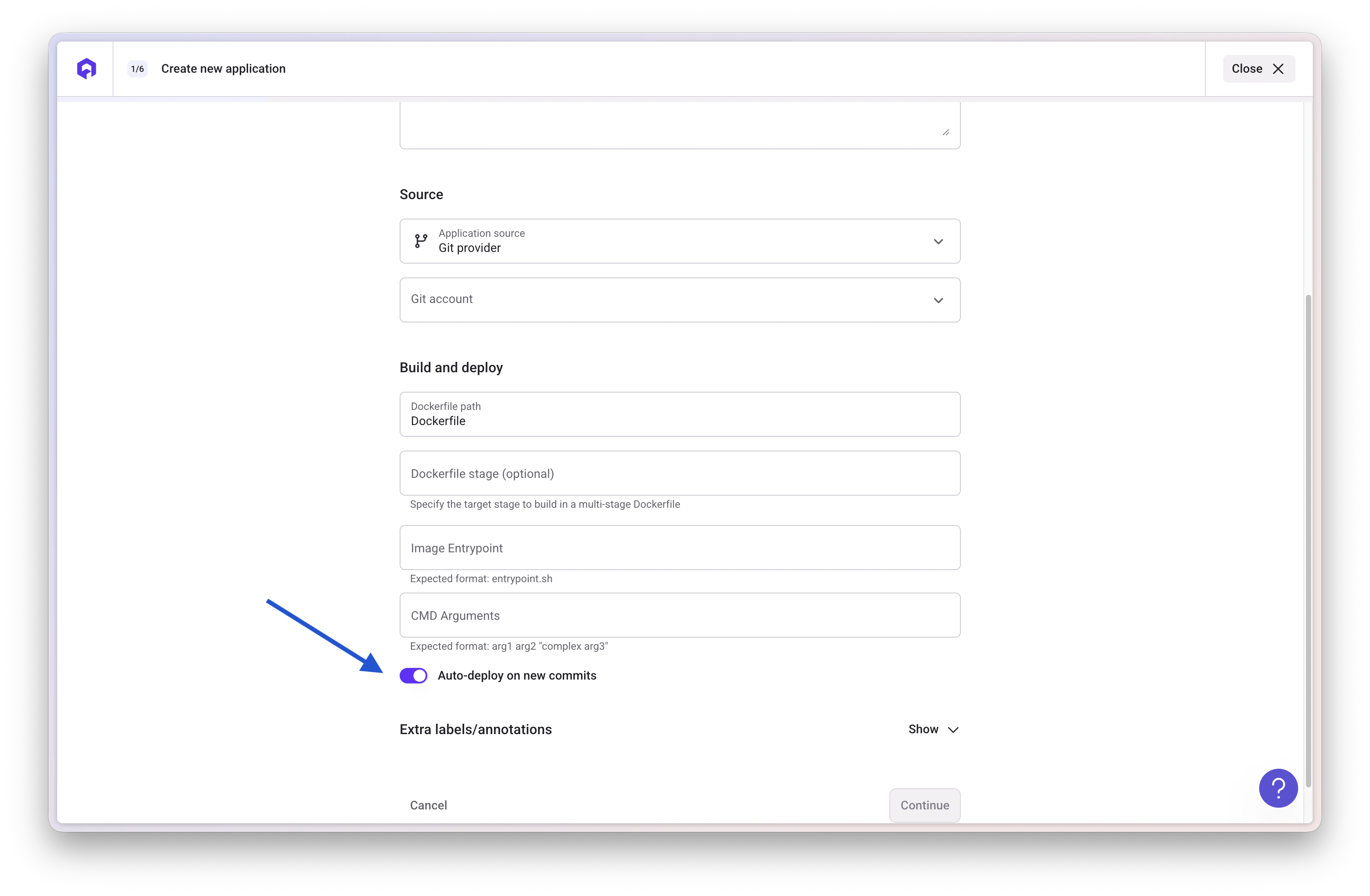
You can activate the auto-deploy flag either within the application settings or during the service creation flow.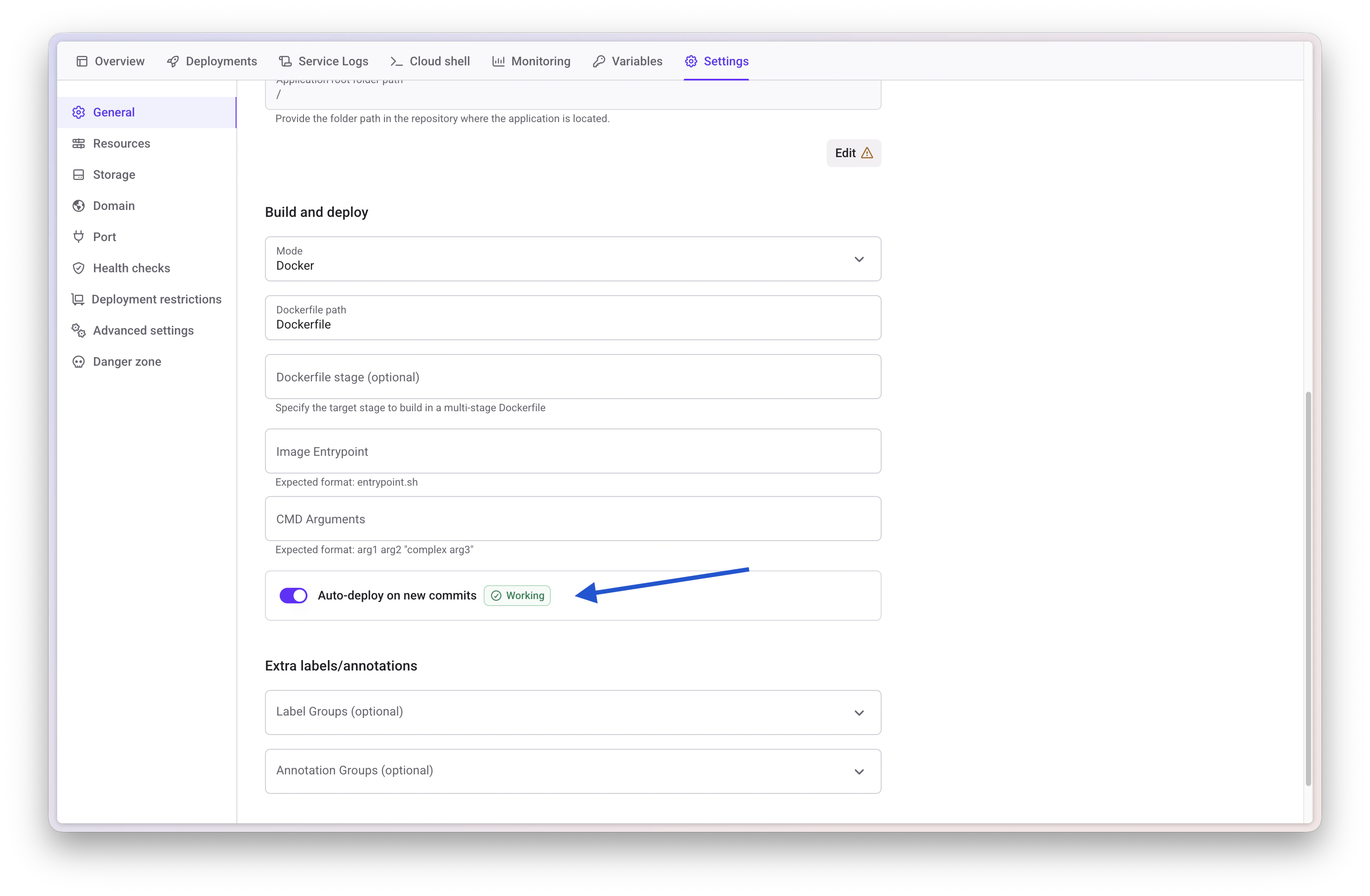
Check it worked
Read the application withGET /application/{applicationId}:
"auto_deploy": true. Push a commit to the application branch, then run qovery environment deployment list --environment "<environmentName>": a new deployment for that commit appears in the list.
Once activated, each commit on the application branch will automatically trigger the deployment of the new version of your application.
Webhook Warnings
When you save the settings of an application, job, Helm chart, or Terraform service, the Console displays a warning if the auto-deploy webhook could not be set up. The settings are saved, but pushes to the repository will not trigger deployments until the issue is fixed.Filtering Commits
The “Deployment restrictions” feature allows you to better control which commits should trigger a new deployment and which should not. It applies to every service that deploys from a Git repository: applications, jobs, Helm charts, Terraform services, and containers built from Git.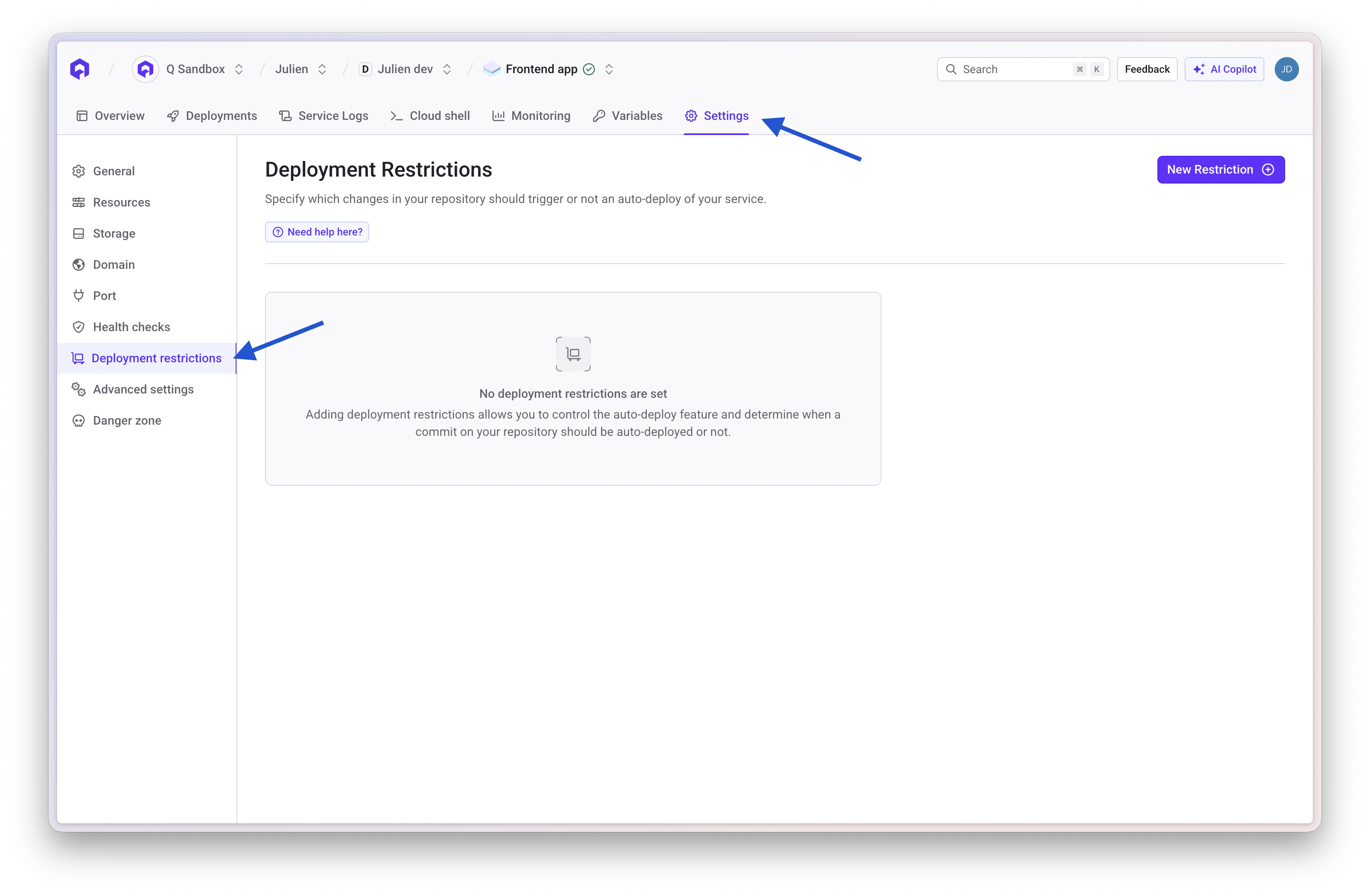
- EXCLUDE: the deployment will be triggered for all commits EXCEPT the one that have changed ONLY the specified files/folders
- MATCH: the deployment will be triggered ONLY if the commit has changed the specified files/folders. If multiple MATCH conditions exist, only one of them has to be true to trigger the deployment.
POST /service/{serviceId}/deploymentRestriction, shared by all these services. mode, type (only PATH) and value are required:
GET /service/{serviceId}/deploymentRestriction lists the restrictions of the service. PUT and DELETE /service/{serviceId}/deploymentRestriction/{deploymentRestrictionId} edit and delete one. The per-kind endpoints (/application/{applicationId}/deploymentRestriction, /job/{jobId}/deploymentRestriction, /helm/{helmId}/deploymentRestriction and /terraform/{terraformId}/deploymentRestriction) are deprecated but keep working.
A container’s restrictions take effect only while it builds from a Git repository, and the Console does not show them yet: use the API or Terraform.
With Terraform, use the deployment_restrictions attribute of qovery_application, qovery_job, qovery_helm or qovery_container, with the same mode, type and value fields. qovery_container accepts it from provider 1.11.0, on a container built from Git: remove the attribute before switching the container to a registry image.
Container Image Auto-Deploy
A container built from a Git repository deploys on push like an application once itsauto_deploy is true: see Activation. The rest of this section is for containers that run an image from a registry.
For container images (not Git repositories), you need to configure your CI/CD pipeline to notify Qovery when a new image tag is available. This can be done through:
- The Qovery API using the
autoDeployContainerEnvironmentsendpoint for containers - The Qovery API using the
autoDeployJobEnvironmentsendpoint for lifecycle jobs and cronjobs
FAQ
Can I exclude commits from triggering a deployment?
Can I exclude commits from triggering a deployment?
Yes, you can use the “Deployment restrictions” feature with EXCLUDE mode to specify files or folders that should not trigger deployments when they are the only changes in a commit.
Will a stopped service be restarted if auto-deploy is active?
Will a stopped service be restarted if auto-deploy is active?
No, auto-deploy will not restart a stopped service. The service must be running for auto-deploy to trigger a deployment.
Is mono-repository supported?
Is mono-repository supported?
Yes, mono-repositories are fully supported. You can have multiple services connected to the same Git repository. Use the “Deployment restrictions” feature with MATCH mode to limit auto-deploy triggers to specific subfolders for each service.
Next Steps
CI/CD Integration
Deploy with external CI/CD pipelines
Deployment Actions
Control your deployments
Deployment History
Review deployment history
Deployment Logs
Access deployment logs