> ## Documentation Index
> Fetch the complete documentation index at: https://www.qovery.com/docs/llms.txt
> Use this file to discover all available pages before exploring further.
# GCP Secret Manager
> Connect your Qovery cluster to GCP Secret Manager using ESO
Available on **GCP Managed Clusters**. You can also access GCP Secret Manager from an AWS Managed Cluster using cross-cloud static credentials.
## From a GCP Managed Cluster
This authentication gives you access to **all secrets** located in the same GCP project as your cluster.
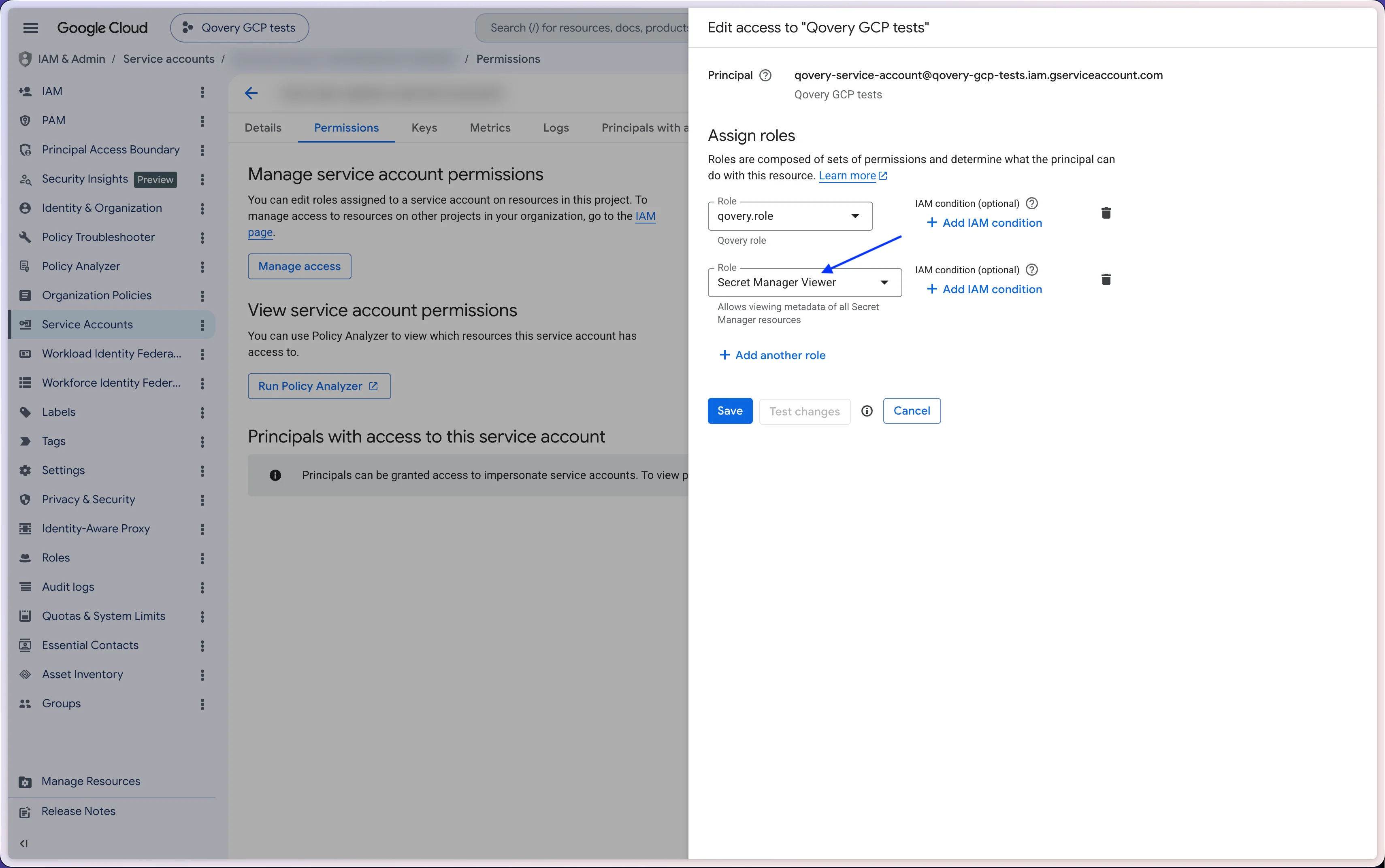
You must add the `Secret Manager Viewer` role to the GCP service account associated with your Qovery cluster.
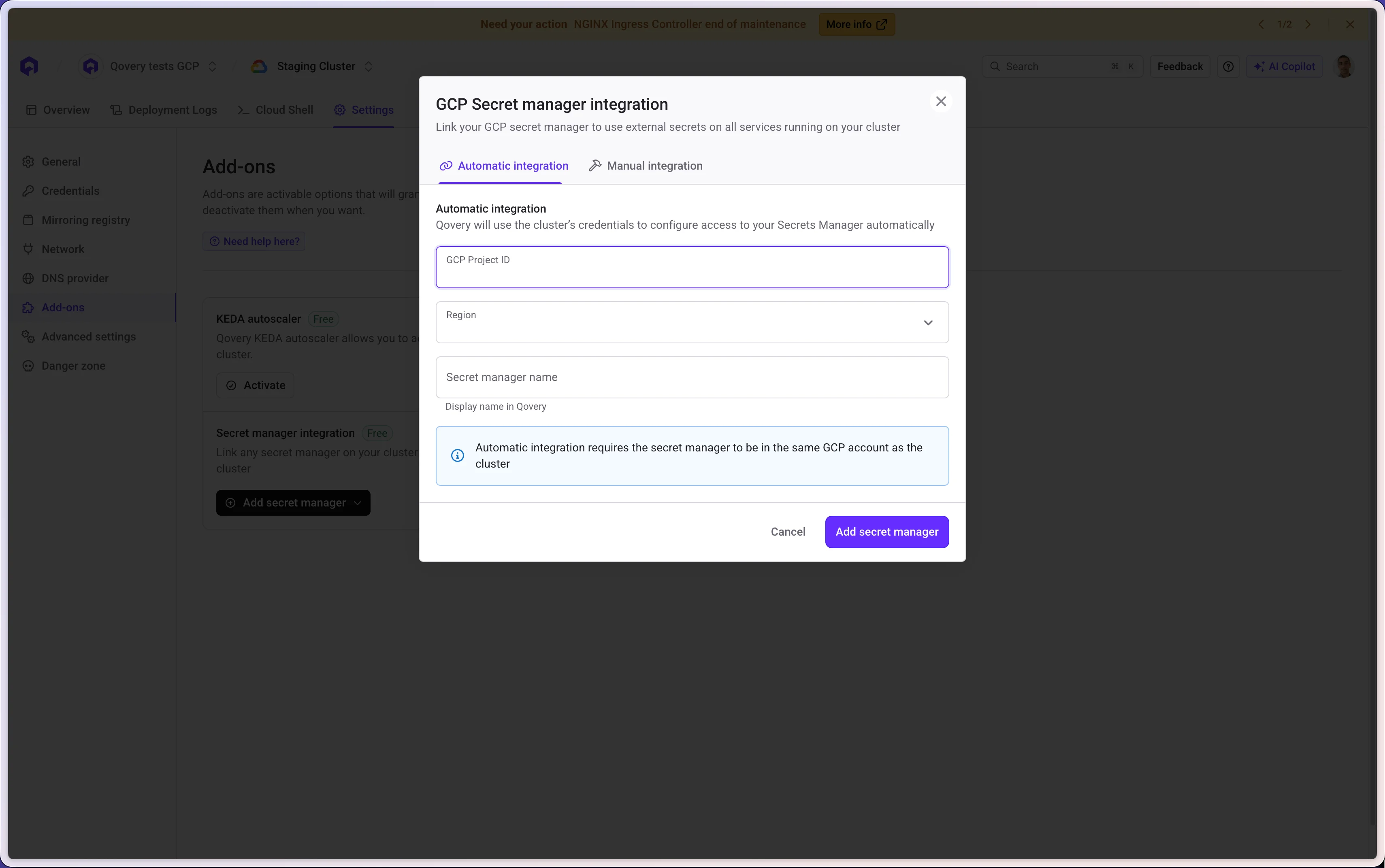
 Qovery automatically creates the GCP IAM Service Account with the necessary permissions.
The following information is required:
* Your GCP Project ID
* The target GCP Region where your secrets live
* The secret manager access name
Qovery automatically creates the GCP IAM Service Account with the necessary permissions.
The following information is required:
* Your GCP Project ID
* The target GCP Region where your secrets live
* The secret manager access name
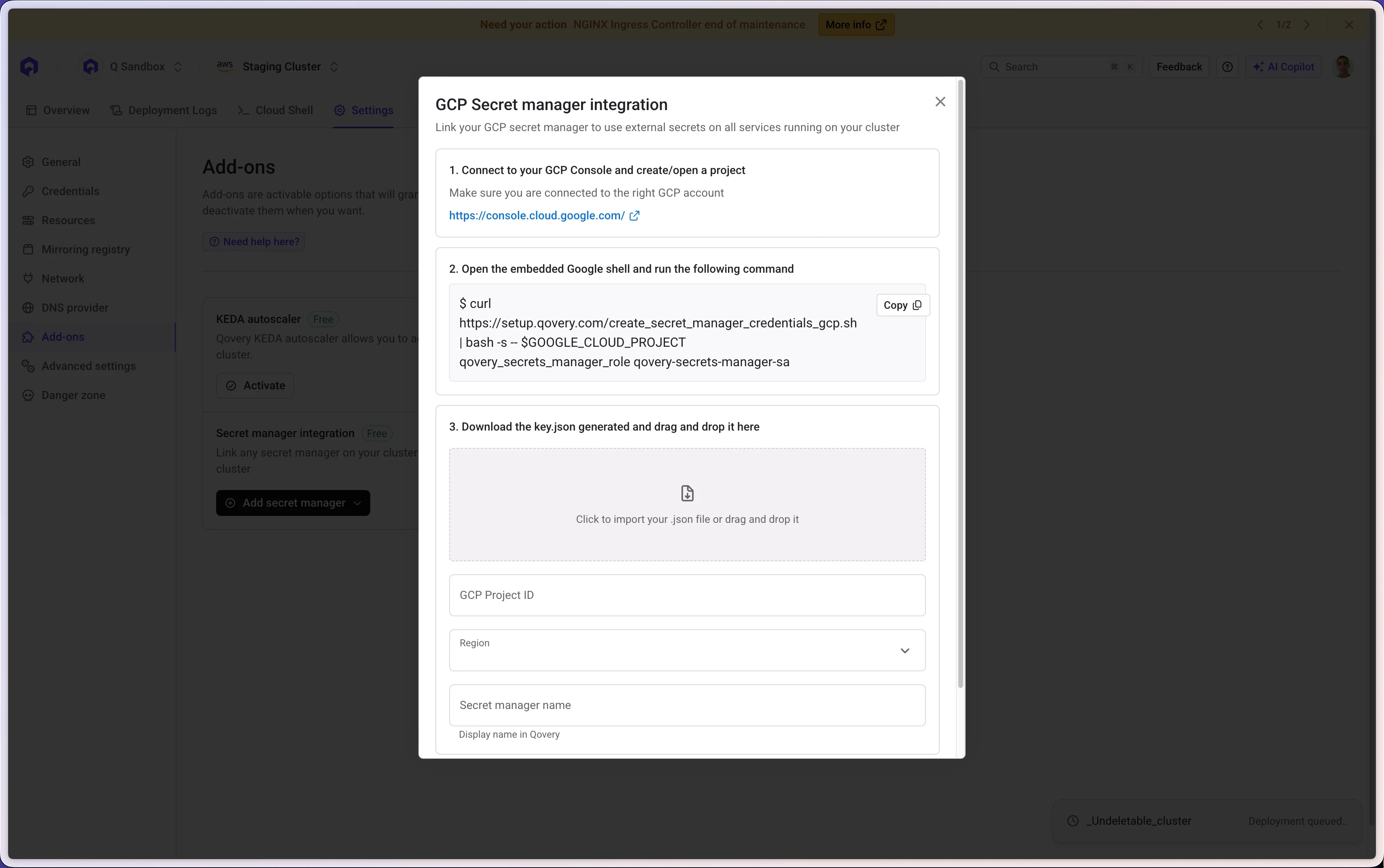
 Qovery provides the following script to run in your GCP Console:
```
curl https://setup.qovery.com/create_secret_manager_credentials_gcp.sh | \
bash -s -- $GOOGLE_CLOUD_PROJECT qovery_secrets_manager_role qovery-secrets-manager-sa
```
The following information is required:
* The `key.json` generated by the script
* Your GCP Project ID
* The target GCP Region where your secrets live
* The secret manager access name
Qovery provides the following script to run in your GCP Console:
```
curl https://setup.qovery.com/create_secret_manager_credentials_gcp.sh | \
bash -s -- $GOOGLE_CLOUD_PROJECT qovery_secrets_manager_role qovery-secrets-manager-sa
```
The following information is required:
* The `key.json` generated by the script
* Your GCP Project ID
* The target GCP Region where your secrets live
* The secret manager access name
 ## From an AWS Managed Cluster (cross-cloud)
You can access GCP Secret Manager from an AWS cluster using static credentials.
Qovery provides the following script to run in your GCP Console:
```
curl https://setup.qovery.com/create_secret_manager_credentials_gcp.sh | \
bash -s -- $GOOGLE_CLOUD_PROJECT qovery_secrets_manager_role qovery-secrets-manager-sa
```
The following information is required:
* The `key.json` generated by the script
* Your GCP Project ID
* The target GCP Region where your secrets live
* The secret manager access name
***
[← Back to Secret Manager Integration overview](/configuration/integrations/secret-managers/secret-manager-access#reference-the-external-secrets-in-your-service)
## From an AWS Managed Cluster (cross-cloud)
You can access GCP Secret Manager from an AWS cluster using static credentials.
Qovery provides the following script to run in your GCP Console:
```
curl https://setup.qovery.com/create_secret_manager_credentials_gcp.sh | \
bash -s -- $GOOGLE_CLOUD_PROJECT qovery_secrets_manager_role qovery-secrets-manager-sa
```
The following information is required:
* The `key.json` generated by the script
* Your GCP Project ID
* The target GCP Region where your secrets live
* The secret manager access name
***
[← Back to Secret Manager Integration overview](/configuration/integrations/secret-managers/secret-manager-access#reference-the-external-secrets-in-your-service)